


Stickerbox
Stickerbox
Say it. Watch it print. Color it in.
Listens only when you press. Prints on BPA/BPS-free paper.
In the gift box: the printer (paper pre-loaded), 20 white + 10 color stickers, 5 watercolor pens, charging cable and manual.
BPA/BPS free
Free shipping
Couldn't load pickup availability
“My 9 and 7 year old LOVE this toy! Easily their new favorite - they're making the most hilarious and creative stickers. Keeps them busy coming up with ideas, making, and then coloring them for hours. Would recommend to everyone.”
— Kelsey, Verified Buyer
Product Details
Product Details
What’s in the box:
- AI printer ×1
- Printing paper ×1 (already inside the device)
- User manual ×1
- Charging cable ×1
- Exquisite gift box ×1
- White stickers ×20
- Color stickers ×10
- Watercolor pens ×5
Size & Weight:
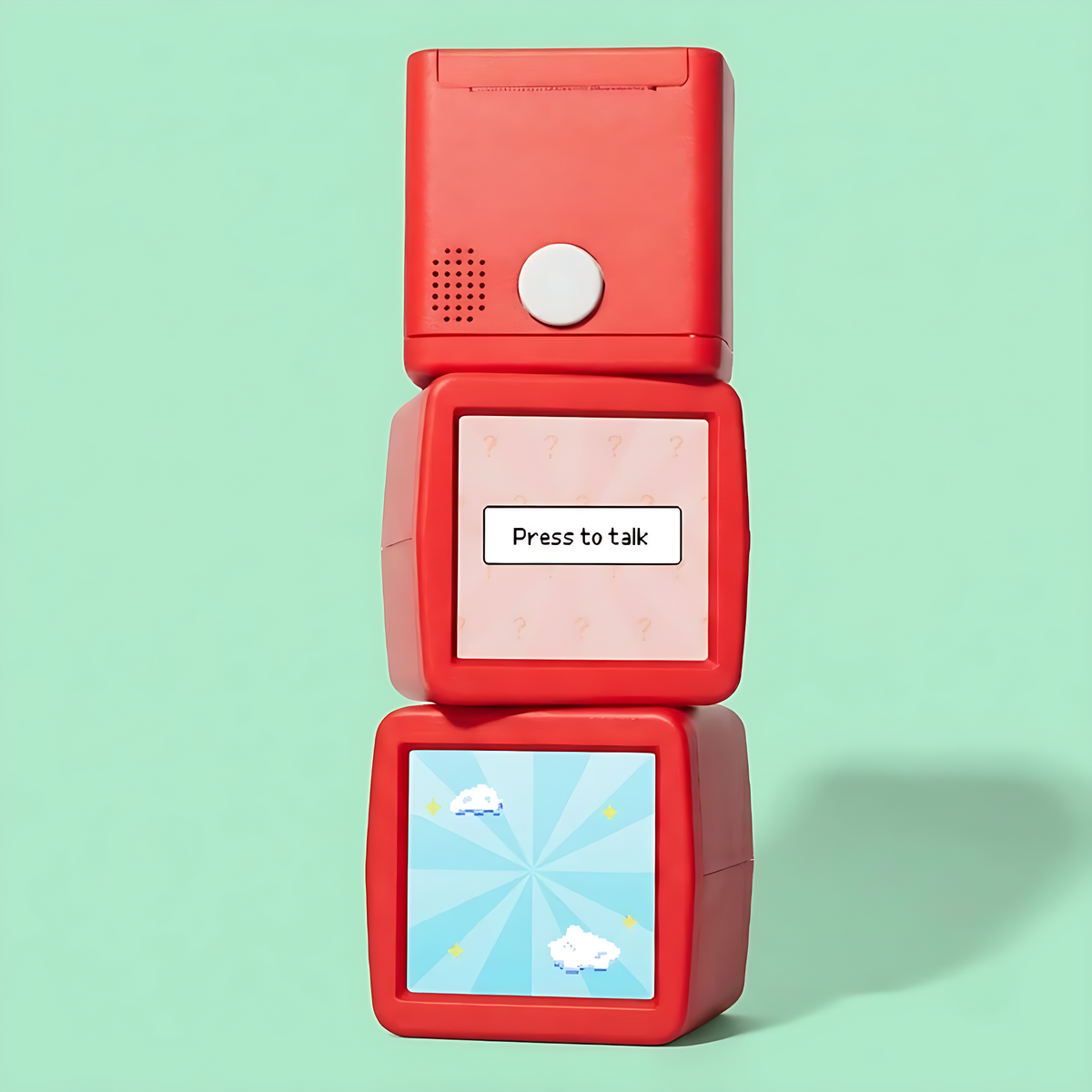
- A cube 3.75" on every side (3.75" x 3.75" x 3.75")
- Only 0.67lb — light enough for a desk, a backpack or a playdate
Good to know:
- Prints in a flash using clean thermal printing — no ink at all
- Kid-safe AI: filters inside the device catch unsafe or unsuitable requests, keeping every idea friendly and right for their age.
- Privacy by design: it only listens while the button is pressed. No background listening, no long-term data storage.
- Made for ages 5+ — and for creative grown-ups too
Delivery Information
Delivery Information
Orders are packed within 1–2 business days. Delivery normally takes 7–15 working days, depending on your location and customs. You’ll get a tracking link by email the moment your order ships.
Shipping is free on every order.
Returns
Returns
We hope Stickerbox becomes a favorite — and if something isn’t right, we’ll sort it out.
- Sealed boxes: send back within 30 days of arrival and we’ll refund you.
- Opened boxes: we can’t refund these, but we’ll swap anything that arrives faulty.
- Paper rolls: sealed rolls only, up to 30 days.
Need a return or a swap? Email lamngocminhquan77546@gmail.com with your order number. Your money comes back 5–10 business days once the item is with us and checked.


what’s in the gift box
- AI printer ×1
- Printing paper ×1 (already inside the device)
- User manual ×1
- Charging cable ×1
- Exquisite gift box ×1
- White stickers ×20
- Color stickers ×10
- Watercolor pens ×5
quick order: refills
-
Stickerbox Paper Refill (5)
Regular price $14.99Regular price $14.99 Sale priceUnit price per -
Stickerbox Paper Refill (3)
Regular price $5.99Regular price $5.99 Sale priceUnit price per


tech specs
-

Stickerbox
Size: 3.75" x 3.75" x 3.75"
Material: ABS plastic -

Sticker Roll
Size: 2" wide x 137.8" long (1.25" across)
Material: BPA/BPS-free thermal paper


how the sticker happens
No ink. No mess. No BPA or BPS.
Heat does the drawing. It’s the same thermal trick found inside label makers and till-receipt printers, and it darkens special paper in seconds — nothing to refill, nothing to spill. And because the paper contains no BPA or BPS, kids can create freely.
-

ink? never.
Heat prints the picture, so there are no cartridges to buy
-

faster than a snack break
From saying it to holding it: under 5 seconds
-

yours to color
Prints come out black-and-white so kids add the color


stickerbox vs. the rest

|
AI plush toys | Smart speakers | AI learning apps | |
|---|---|---|---|---|
| Something real to hold Actual stickers in their hands | ||||
| No screen needed No grown-up device required | ||||
| Listens only on press No always-on microphone | ||||
| No open-ended chat A closed, focused loop | ||||
| No web browsing No open internet access |
safe play, every day
From the first spoken word to the spot it finally gets stuck, every step keeps creating safe, private and right for their age.
-

say it!
Privacy comes first. It listens only while the white button is held — no background listening, no recording — and data isn’t sold or used for ads. Unsafe ideas stop here: adult or unsuitable words are blocked before anything is made, and kids are nudged to try a fresh idea.
-

print it!
Kid-friendly art. Ideas that pass the checks are drawn in styles made for young creators, with content filters built in. Safe to hold: every sticker comes out on thermal paper free of BPA and BPS, sized for little hands.
-

stick it!
Parents stay in the loop. Browse everything your child has made in the companion app, then choose how it fits into family life. Then it’s all offline: coloring, make-believe and hands-on fun — zero screens, zero feeds.


what people are saying
I absolutely LOVE my sticker box! It was SO easy to set up and is SO easy to use! I made stickers for a new mom of her son and she loves it😊 Decorated my IPad with fun photos! 😊💕
ABSOLUTELY our favorite thing for kids in our Chiropractic office!!!
This might be the best gift I’ve ever purchased for my grandchild. To be honest, we have had fun with it as well!! It was a gift for my granddaughter who just turned 5 and I have a feeling her brother will want one as well. Her only request was that it come in other colors! 😉
Amazing thing. We have enjoyed it so much. One thing I don’t like is how the sticker rolls last such a short amount of time.
Awesome! Cool
Fun while it lasted. Screen broke after its first fall to the edge from 2 feet. Too fragile to consider rebuying with younger kids.
My granddaughter just loves her Stickerbox. It is one of if not the best toy she has ever played with.
Bought this for my two grandchildren 8 and 5. It was so much fun for all of us! We made stickers and books for hours. Easy to use and set up. Keeping it at my house so we always look forward to a fun visit…..
My two girls have loved this product so much! From personalizing birthday cards and creating story books with them to just being silly! What an amazing gift this would be as well! Definitely recommend and here to vote for a colored addition in the future!
Im a speech therapist and I cant tell you how much this has been a hit for so many different reasons! This is more than a box that makes stickers. This is a teaching tool with built in reinforcers, it is a phtographer for my 4 year olds sons imagination that will hold sentimental value forever. Its all around super awesome!
Bought it for the kids, but ended up also bringing it to my work (University Health Center) and it's been a hit. The only couple of things that would make it even better: 1. Allow it to connect to internet through portals. 2. The sticker cutting/tearing mechanism needs to be much sharper- if worried about safety, make it retracted further into the box out of the way. It will not cut through any of the holographic refills and we need to use a scissor.
This little sticker box is so much fun!! I am using it in my classroom to show that the students have mastered a skill! You do have to be very specific if you are asking it to make a person on the stickers.
This is such a great device! I cannot wait to use it in my classroom to allow students to create their own stickers for incentives and also for writing prompts. My little cousins and god daughter have had a ball using it, even the teenagers enjoy using it. 10/10
Absolutely the BEST TOY I have bought, maybe ever! BUY IT! ⭐️⭐️⭐️⭐️⭐️ No, I’m not being paid, no I don’t know anyone at the company. I’m just a mom, back on the Stickerbox website to buy more paper and ANOTHER Stickerbox. They should promote it as a learning toy more 😆. The user (& friends) gets to see what they said WRITTEN OUT in text, and everyone tends to READ IT BACK to THEMSELVES OUT-LOUD while waiting excitedly for sticker to print. I calculated that my 1st grade kiddo has surely read the equivalent of an entire chapter book out loud just making stickers! Go ahead and buy a lot of extra paper rolls…. Once kids imagination starts flowing you’ll go through roll after roll and be happy about it!
I absolutely love this!! Easy set up and so fun to use. Can't wait to create a story book with my nephews. Also. It is child-safe, it won't print any unaccepeted things
I originally bought a Stickerbox for my nephews, but after playing with it for about five minutes I realized I was going to need one for myself too lol. I use the fortune-teller feature every morning as a whimsical, cute way to start my day and I’ve now forced my boyfriend to incorporate it into his day too. We have this new tradition in our house where we yell, “WHAT’S MY FORTUNE?!” and then dramatically press the button to await our fate haha. The stickers come out adorable every single time and I’m always finding new ways to use them! Just today I cut out one of the images and used it as a seal on an envelope (kind of like the decorative seals Papyrus has, except mine was a lobster holding a baseball bat!). I also use them for gift tags. I’m especially excited to try the transparent stickers because I feel like they’ll open up even more creative possibilities. Stickerbox is a 10/10 and I honestly can’t recommend it enough. Just know that if you buy one for someone else you may very well end up buying one for yourself too lol
Kids like it, multiple issues with setup. Will not connect to WiFi. Does not have a way to skip the print step. The WiFi issues were pretty frustrating. Happened on every single new network. Shipping was not as promised. Took WEEKS long than published.
I was skeptical when we received this as a gift but have found it to be such a fun and unique toy for our 3.5 year old son. It’s been amazing to watch him construct more complex sentences over time. At first he’d have single words for creating a sticker but after prompting him with “who, what, when, and where,” he has made more creative stickers. Eventually, I’m hoping to use it to help him create storyboards or to illustrate ideas he’s been thinking about. I’m very careful about what AI I introduce to my kids and I think stickerbox did a fantastic job integrating generative AI in a safe and accessible way.
My son loves it , his laugh is wonderful to hear when waiting for his imagination come though his body
Students really enjoy creating stickers after completing tasks. Look forward to figuring out how I can fully utilize the device in the classroom.
It is mostly good but it seems like it would not have been hard to allow for a preview stage before printing. It wastes a lot of sticker paper, and thus money.
This is my 2nd review to reflect some of the cool ways this magical device can be utilized. We are beyond pleased with the performance of Stickerbox! The creators are simply brilliant!
Fun for adults too. As an adult it brings me joy as a tool to release my inner child. The style and whimsy it produces always gives me a smile. I can use it to label things around the house as art pieces and a whole lot more.
I first learned about the Stickerbox at the MACUL conference I attended. I used it as an incentive to encourage students to write detailed sentences, incorporating a variety of adjectives to describe their characters, actions, settings, and emotions. We also discussed facial expressions and clothing to inspire richer descriptions. This approach motivated my students and instilled a sense of pride in their sticker creations. The attention to detail in the stickers further encouraged them to improve their writing skills. I appreciate that it does not feature existing book or movie characters, as this promotes creativity among students. Overall, I am very pleased with this resource.
My grandchildren and children love it! I have been telling everyone about it! Just an idea....it would be great for them to see the picture before it prints because sometimes the box did not understand what they were saying. If they liked the picture, then they could print it out instead of wasting the paper.
Students are having an absolute blast making stickers as a prize, and my laptop certainly looks much cooler with the stickers I've made of my own. Lol. So far some of my favs are " Raining cats and dogs" for idioms, and " A taco with a beard" for myself.
Nice :)
My 2, 6 , and 8 year old love this product! Me and my husband love it just as much! It did take a while to get here but we were kept up to date by the company the whole time and it was well worth the wait! I have been recommending it to everyone! Even those without kiddos!
My 6 and 4 year old kiddos love their Stickerbox. They have been getting more and more creative with the prompts they ask for. The extra creative options (like fortune telling, photo print, and photo booth) have been fun, too! We brought it out when the cousins (both kid and adult aged) were up for Easter and everyone was having fun! To color, we have been using markers, colored pencils, and crayons! All work but we like markers best so the colors are more vibrant on the sticker paper.
Ours arrive right before Easter and created so much fun. Everyone was amazed as to how creative and accurate it is. I went straight to Facebook to rave about it in our local moms group. So much fun for my 7 and 3 year old. 100% recommend.
We own a coffee shop in NC. We placed it right at the register to have a fun way to interact with our smaller patrons. The kids love it but what I was surprised with was that the adults also love it. A fun way to inject a little whimsy and creativity into the day!
My 9 and 7 year old LOVE this toy! Easily their new favorite - they're making the most hilarious and creative stickers. Keeps them busy coming up with ideas, making, and then coloring them for hours. Would recommend to everyone.
Amazing product!! Works way better than I imagined it would.
Super easy to use! This keeps our cousin crew engaged for hours. They make custom name tags, create storybooks, use it to make gifts for one another. I love that there are safety features that filter out potentially inappropriate creations. It's a great way for them to truly bring their imagination to life. I ordered in December and it did not arrive until March, but I had a family member that already had one so we were able to test it out before buying one for ourselves. Long turn around time, but worth the wait!
Bought this for my kids for Valentine’s Day though we did not get it till march 29th. Regardless it was well worth the wait. My 11 and 13 year old daughters are both loving it. My older daughter is using it for story boards for a book she is working on and my 11 year old made labels for all her school supplies. My only gripe is that I wish the Stickerbox would “sleep” so the screen is not always on and glowing. Just press to wake up after 10 min or something?
greate product
it is one of our new home acttivteys
This is a very kid safe sticker making box. Its one of the coolest items we got for my son for christmas. The whole family loves it
We've had no issues, and my 6 year old hasn't put it down all day! Keep in mind, certain words, like "spooky" seem to be rejected by the safety blocks, but this is the coolest kid gadget I've tried maybe ever.
I want to say thank you for creating Stickerbox! It’s the most played with toy in our house since we got it this past holiday. My daughter, who has autism and a speech delay, benefited significantly in speech after using it. She practices saying things many times to ensure the Stickerbox understood what she said, to get the sticker that she wants. She now pronounces certain words a lot more clearly than a few weeks ago. The only thing that I think could be improved is to add a print button, in addition to the existing listen/record button. That way, we don’t waste paper in printing things that weren’t recorded correctly (which happens often due to my daughter’s speech delay). Regardless, this product is amazing! I never imagined AI being a useful tool for kids. I love that Stickerbox integrates the newest technology with toys for children. My kids love seeing their imagination come to life in pictures!
Wish there was a way to preview your sticker before printing.
Had problems initially connecting to Wifi, but Stickerbox seems to have resolved the issue. Hopefully, it will be a permanent solution.
100 Stickers in 24 Hours! Pure Magic for my 3-Year-Old We received our Stickerbox yesterday, and I can honestly say this is the "coolest creative tool" we’ve ever owned. My 3-year-old son has already printed over 100 stickers in just one day! For a toddler, the "Say it, Print it, Stick it" process is incredibly intuitive. Because it uses voice-to-image generation, he doesn't need to know how to type—he just speaks his idea, and watches it print instantly. The look on his face when he sees an image from his mind come to life on paper is priceless. As a parent, I love that this is "hands-on, screen-free creativity." Once the sticker prints, the fun continues because he gets to color them in. It keeps him busy for hours. If you want to see your child’s imagination unboxed, get this immediately. It is truly creativity that sticks!
This is phenomenal! I will say I was weary at first… maybe because the product is so new? But I am MIND-BLOWN! This thing is unbelievable. So easy to figure out, and the box is flawless. It truly comes up with amazing stickers for anything you say. My boys were ecstatic they can come up with any sticker they want! And it sparks their imagination too! I have a happy boy with lots of stickers.
I ordered a Stickerbox as soon as I came across an article about it, and it’s really unique and creative tool/toy for any one who loves to have fun! Kids and adults will enjoy playing with it, coming up with imaginative prompts and then having the images printed in seconds, without fiddling with a complicated device. Kudos for the folks behind this– I love it!
Stickerbox made an incredible gift for my four year old daughter! Even though she's a little young for the box to understand her perfectly we've already made hilarious storyboard cartoons and so many other little characters that she finds special and amusing. It encourages her to use her imagination to think of wild and funny things. It also helps with her speech in that she has to annunciate each word a little bit better and honestly that's also a great thing! 10/10 would recommend :) Fun for the whole family!
Omg stickerbox is a product everyone should have. My three and five year old is obsessed. Both have had speech delays this has help them improve their speech and given them confidence that their voices are heard. The fun stickers we have made are now all over my house and town they love handing them out on trips to the store so proud to show off what they have made. Thank you stickbox you are now a family member and a part of our everyday life.
I bought a Stickerbox as a Christmas present for my five year old granddaughter.I tried it out first and had such fun with it I ordered another for myself.It was my granddaughters favorite gift . Great fun for any age including this 75 year old grandpa.
i love stickerbox because I love printing out stickers and coloring them. so much fun and i showed it to my cousins and they loved it too
We love our StickerBox!! My kid could literally spend hours making by up characters and stories. He loves to see them come to life. He’s even made stickers to give to neighbors and friends! We had to order extra tape because he loves it so much.
This has been a huge hit in our home and with the neighborhood kids. A great safe way to expose kids to AI through creative experimentation. Very happy with the product. A perfect mix of high tech and analog.
Happy customer of Stickerbox! My 4-year-old daughter loves creating and coloring her stickers. She now has a book collection of them! It also works in both English and Mandarin - even with her toddler-ish accent.
Stickerbox AI has been a huge hit in our house! My 4-year-old daughter loves seeing her ideas turn into stickers and gets excited every time. It’s a creative use of tech and genuinely fun for the whole fam.
Thanks for making one of the coolest products ever! Our daughter loves with it! And we like playing with it too 😜
I run a bagel shop with a kid table and toys. Kids also LOVE random stickers that we hand out, so I thought Stickerbox would be perfect....and I was right! Our customers absolutely love it! I'm going through rolls of tape like no tomorrow. It's an absolute hit!
Stickerbox is true magic. The kids love it, and there’s always tons of laughter when the family gathers around it. It’s so fun and sweet to see their imaginations come to life. Glad to have a toy that gets them creating and dreaming.
I love stickerbox. Such a clever way to encourage the imagination! I love the fact that kids can color their stickers. At 65 years old I need one to keep my imagination juices flowing!
I’m honestly surprised how much my kids (5 and 7) are using stickerbox. They’ve really integrated into their creative play. Example: they just made hand drawn Christmas cards for a bunch of relatives. But they also sealed each envelope with a custom stickerbox sticker. Or my daughter is into writing tiny graphic novels/cartoon now. She creates a whole series of stickers with stickerbox and then puts the in a booklet with speech bubbles telling a story. Stickerbox shows that AI enhances, not replaces creativity. And using these tools will be important to our kids future. Highly recommend
I wish this was around when my daughter was little!
Can’t say enough good things about Stickerbox - truly incredible. Watching my daughter (5.5 years old) turn ideas in stickers is pure magic. The experience is impressive and fast. It feels thoughtful and intentional rather than just another toy. It needs to be plugged in…a wireless option would be amazing. HIGHLY RECOMMEND
This product is a 10/10! I got Stickerbox for my three daughters and they can’t stop using it. They are so creative and it’s been a joy to see what they make with it. On top of that, this product just works! Set up was super simple and it works seamlessly every time we turn it on. It’s also very durable and I’m never worried about my kids breaking it. I need another Stickerbox!
Stickerbox has been a massive hit in our house! We use it to make one off stickers and also stories. It’s the most tasteful and fun “AI for kids” thing out there and you should get one!
Stickers EVERYWHERE (in the best way). The family loves it.
Our family has absolutely LOVED Stickerbox. Everyone from my 5 year old to my 7 year old to my 10 year old to 39 year old me loves it!
This is a really innovative and fun product. I love how cute the stickers are!!
Feels like the future in the box! Prints unlimited 67's for everyone to enjoy
Stickerbox has quickly become one of our favorite at-home activities. The concept is simple but magical: kids describe what they want, and within seconds they’re holding a sticker that came straight from their imagination. It encourages creativity, storytelling, and independence — without screens. What I love most is how open-ended it is. There’s no “right” way to play, and my kids keep coming back with new ideas every time. It’s fun, calming, and surprisingly educational. A great gift or everyday creative tool for families.
Didn’t expect this to be such a hit, but my kid hasn’t stopped using it. It’s super easy to use and somehow keeps them focused way longer than I thought. And the best part is that I actually enjoy sitting with them and using it too.
I bought Stickerbox for my best friend's daughter for her birthday, and she's obsessed! She's always had a huge imagination, and this product has helped her take her creativity and imaginative stories to the next level. Plus, it's something that keeps her busy while my friend and I catch up. Definitely cemented my spot as the favorite friend of her mom!
Individual results vary.
get your stickerbox app


faqs
What’s the white button for?
What’s the white button for?
When the screen shows “ask”, hold the white button, say what you’d like to make, then let go. That’s the whole trick.
How do I put in a new paper roll?
How do I put in a new paper roll?
A new Stickerbox arrives with paper already inside, so the first prints are ready to go. For a fresh roll, a grown-up undoes the silver screw underneath using a #2 Phillips (or similar) screwdriver, lifts the door, drops the roll in with the printable side facing the front, and closes it again. Snug is enough — don’t over-tighten.
Setup isn’t working — what now?
Setup isn’t working — what now?
Check that your Wi-Fi is on the 2.4GHz band — most routers broadcast both 2.4GHz and 5GHz. Moving closer to the router also helps, since a weak signal can stall setup. Still stuck? Do a factory reset: keep the white button pressed while you pull the plug and put it back in, and wait for the screen to restart. If nothing works, email us at lamngocminhquan77546@gmail.com and we’ll get you printing.
Does it understand languages besides English?
Does it understand languages besides English?
Yes. Stickerbox understands several languages — just speak clearly in the one you like.
What does the companion app do?
What does the companion app do?
The parent companion app is where you set up the box, look at and share creations, and manage the device.
Nothing is printing. What should I look at?
Nothing is printing. What should I look at?
Usually the roll is in backwards or sitting crooked. Also check that you’re using official Stickerbox paper, the door is shut all the way, and the power cable is pushed in firmly. Still nothing? Leave it unplugged for 10 seconds, then power it up and try once more.
My prints look pale. How do I fix that?
My prints look pale. How do I fix that?
Reload the roll or swap in a new one. Pop out the rubber roller on the upper edge of the door, wipe it with a cloth and click it back. Store paper away from heat and direct sun.
The paper is jammed. What do I do?
The paper is jammed. What do I do?
Open the back door and seat the roll again. Jams often happen near the end of a roll — if so, simply put in a new one.
Where can I get more paper?
Where can I get more paper?
Grab official refills right here: Stickerbox Paper Refill.
Will other thermal paper work?
Will other thermal paper work?
No. Stickerbox paper is the only kind it takes — anything else can damage the printer and voids the warranty. Every Stickerbox roll is BPA and BPS-free.
How are the AI stickers kept safe for kids?
How are the AI stickers kept safe for kids?
Safety was the starting point, so everything from what kids say to what comes out of the printer is filtered and age-appropriate. Strict filters stop unsuitable content before it’s ever made. It only listens while the button is pressed, never in the background, and voice data isn’t kept. It isn’t a screen, a feed or a place to wander into unknown content — and parents can look back at every creation in the companion app.
Is the microphone on all the time?
Is the microphone on all the time?
No. It listens only while the top button is pressed.
Are voice recordings saved or shared?
Are voice recordings saved or shared?
No. Voice data isn’t stored, and no personal information is shared.
Can I return it?
Can I return it?
Boxes that haven’t been opened can be sent back within 30 days of arrival for a full refund. If yours turns up damaged or faulty, email us and we’ll ship another. Returns begin with an email to lamngocminhquan77546@gmail.com with your order number.
Is the paper free of BPA and BPS?
Is the paper free of BPA and BPS?
Yes! Every Stickerbox roll is BPA and BPS-free — gentle on kids and on the planet, and great for coloring, tearing and sticking anywhere.
Can the whole family share one box?
Can the whole family share one box?
Yes. Brothers, sisters, friends (and grown-ups!) can take turns on one box. Each idea prints right away — no logins or profiles.
Does it print in color?
Does it print in color?
It prints in black and white on purpose, so kids get to do the coloring.
Does it work without Wi-Fi?
Does it work without Wi-Fi?
It needs a Wi-Fi network or a phone hotspot to connect and create new stickers. Once it’s connected, move it anywhere in the house that stays in range.
Does it need batteries?
Does it need batteries?
No. Keep it plugged in using the included cable.
Can I print a favorite sticker again?
Can I print a favorite sticker again?
Yes! Open the companion app, go to your Stickers Gallery, pick the one you want and tap the printer button. It prints on your connected Stickerbox.
How do I tear off a sticker?
How do I tear off a sticker?
The paper is made to tear cleanly. When the sticker finishes, take the top-left corner and pull quickly forward and down toward you — the serrated edge does the cutting, so no scissors needed. A slight angle gives the neatest edge; you may want to steady the box with your other hand.
Why is there sales tax on my order?
Why is there sales tax on my order?
The law requires us to charge sales tax in places where it applies.